
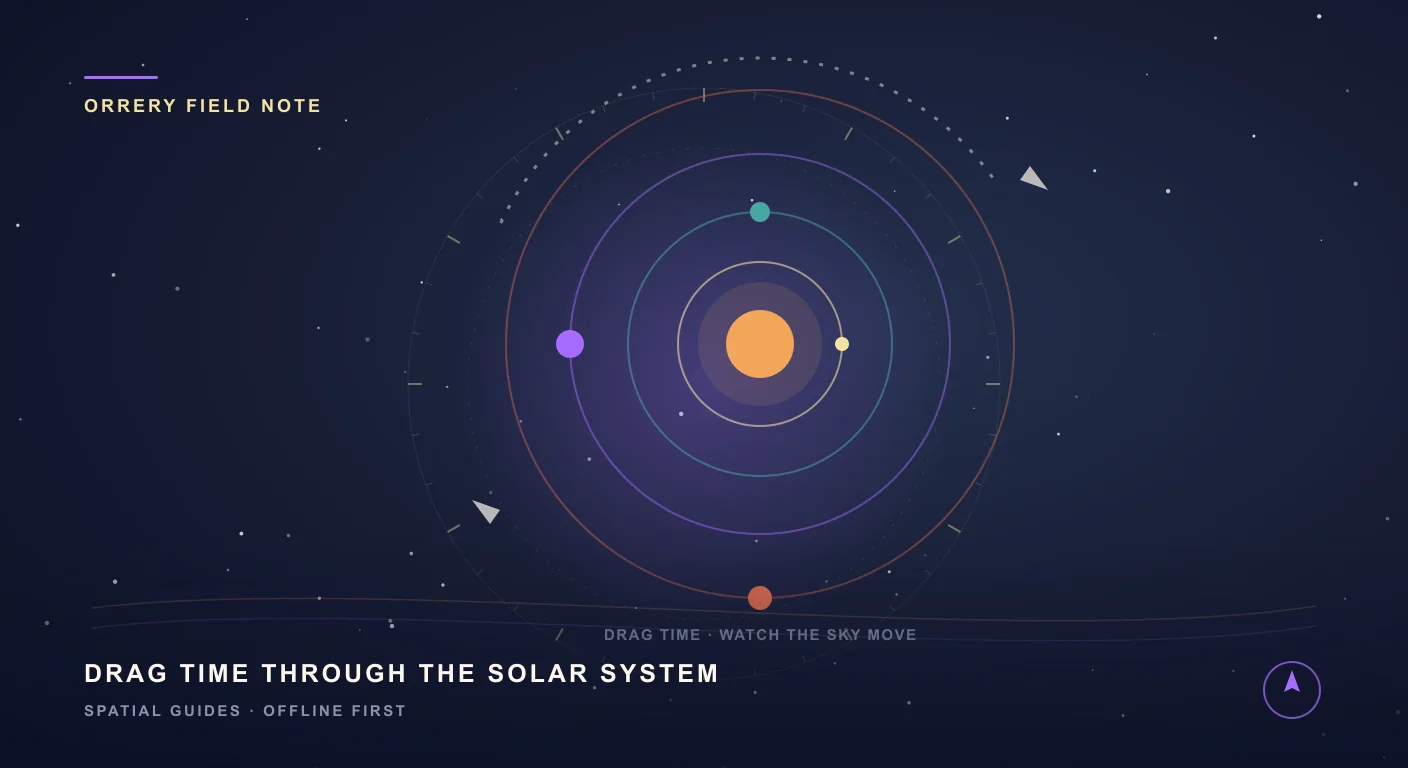
A time machine for the solar system, in your pocket
Where were the planets the night you were born? Which way was the crescent Moon tipped on your wedding day? Where will Jupiter and Saturn sit when the next total eclipse sweeps overhead? These used to be questions for an observatory or a thick printed ephemeris. SIMT answers them on your phone, in seconds, with a feature called the Orrery, a living, interactive model of the entire solar system that you can wind backward and forward through time.
Here is everything the Orrery does, and the surprisingly practical reasons you might reach for it.
The whole solar system, computed on your phone
The Orrery renders the Sun, all eight planets, Pluto, and the Moon as a clean map of nested orbits. The positions are not decorative approximations; they are computed with the same models professionals rely on, VSOP87 and the JPL DE430 ephemeris, through the on-device Astronomy Engine, so what you see matches the real sky. And because the math runs locally, the whole solar system keeps working in airplane mode, deep in a canyon, or on a transatlantic flight.
It is built to be played with. Pinch to zoom from a single inner planet out to Neptune, drag to pan around, and tap any body to select it. A ruler along the edge shows the scale in astronomical units or kilometers, the orbits are spaced logarithmically so the tiny inner planets and the vast outer ones share one screen, and small touches bring it to life: Saturn's rings, the Sun's pulsing corona, a shaded habitable zone, and the asteroid belt.
Grab time and drag it
The heart of the Orrery is time. A slider lets you scrub up to 100 years into the past or future, and the entire system responds as you move, Mercury whipping around the Sun while Neptune barely inches along. Suddenly the abstract idea of an orbital period becomes something you can feel under your thumb.
Want to watch it move on its own? Step the speed up, from 1 time real, to 1,000, all the way to 500,000 times, and years blur past in seconds as the planets trace their orbits. Tap reset and you snap straight back to now.
That single control unlocks a lot. Rewind to the night you were born and see the planets that hung over your cradle. Jump to a wedding, a graduation, or an anniversary. Revisit a famous sky, like the 2020 Great Conjunction when Jupiter and Saturn drew close enough to look like a single Christmas Star. Or skip ahead to plan a trip around an event that has not happened yet.
Tap any world for a full fact sheet
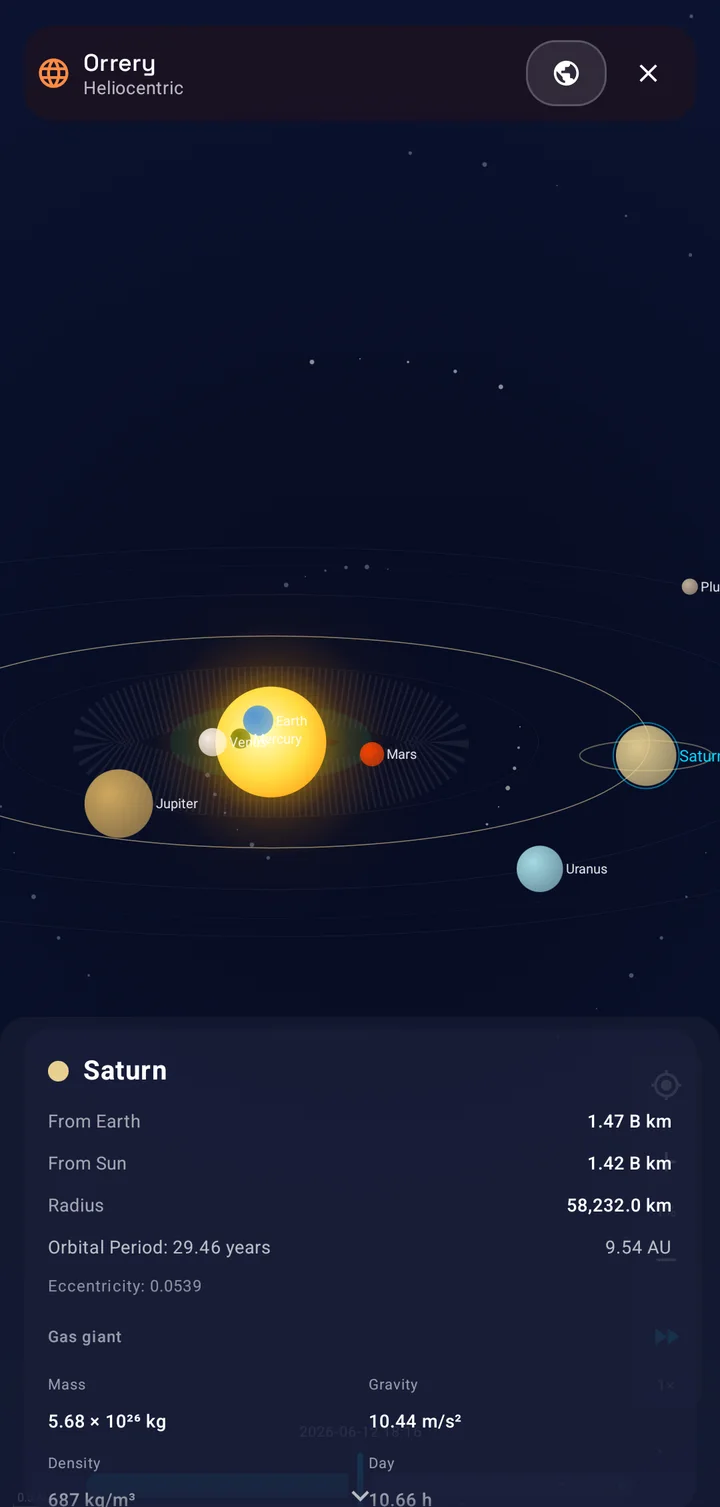
Tap any world and a glass panel slides up with its live numbers: how far it is from Earth and from the Sun at this exact moment, its radius, its orbital period in years, the semi-major axis of its orbit in astronomical units, and its orbital eccentricity.
Scroll on and you get the full physical fact sheet, drawn from NASA's planetary data: what kind of body it is, a terrestrial planet, gas giant, ice giant, dwarf planet, star, or moon; its mass, surface gravity, and density; the length of its day, including a note when it spins backward, the way Venus does; its axial tilt; its mean temperature in your choice of Celsius or Fahrenheit; its number of known moons; and a plain-language summary of its atmosphere.
Those atmosphere notes are genuinely useful at a glance. Venus reads about 96.5% CO₂ and 3.5% N₂, with thick sulfuric-acid clouds and a crushing 92 bar of surface pressure. Jupiter is roughly 90% hydrogen and 10% helium. Earth, the one we tend to take for granted, is about 78% nitrogen, 21% oxygen, and 1% argon.
- Live distance from Earth and from the Sun, updated as time runs.
- Radius, mass, surface gravity, and mean density.
- Day length, with retrograde rotation flagged where it applies.
- Axial tilt, mean surface temperature, and number of known moons.
- Orbital period, semi-major axis in AU, and eccentricity.
- A plain-language atmosphere summary for every body.
Two cosmic points of view: heliocentric and geocentric
The Orrery shows the solar system two ways, and the toggle between them is more than cosmetic. In heliocentric mode the Sun sits at the center and you watch the planets, Earth included, wheel around it. This is the view that explains visibility: when Mars is on the far side of the Sun from Earth, you can see at a glance why it is lost in the glare; when Venus swings wide of the Sun, you understand why it blazes in the evening sky.
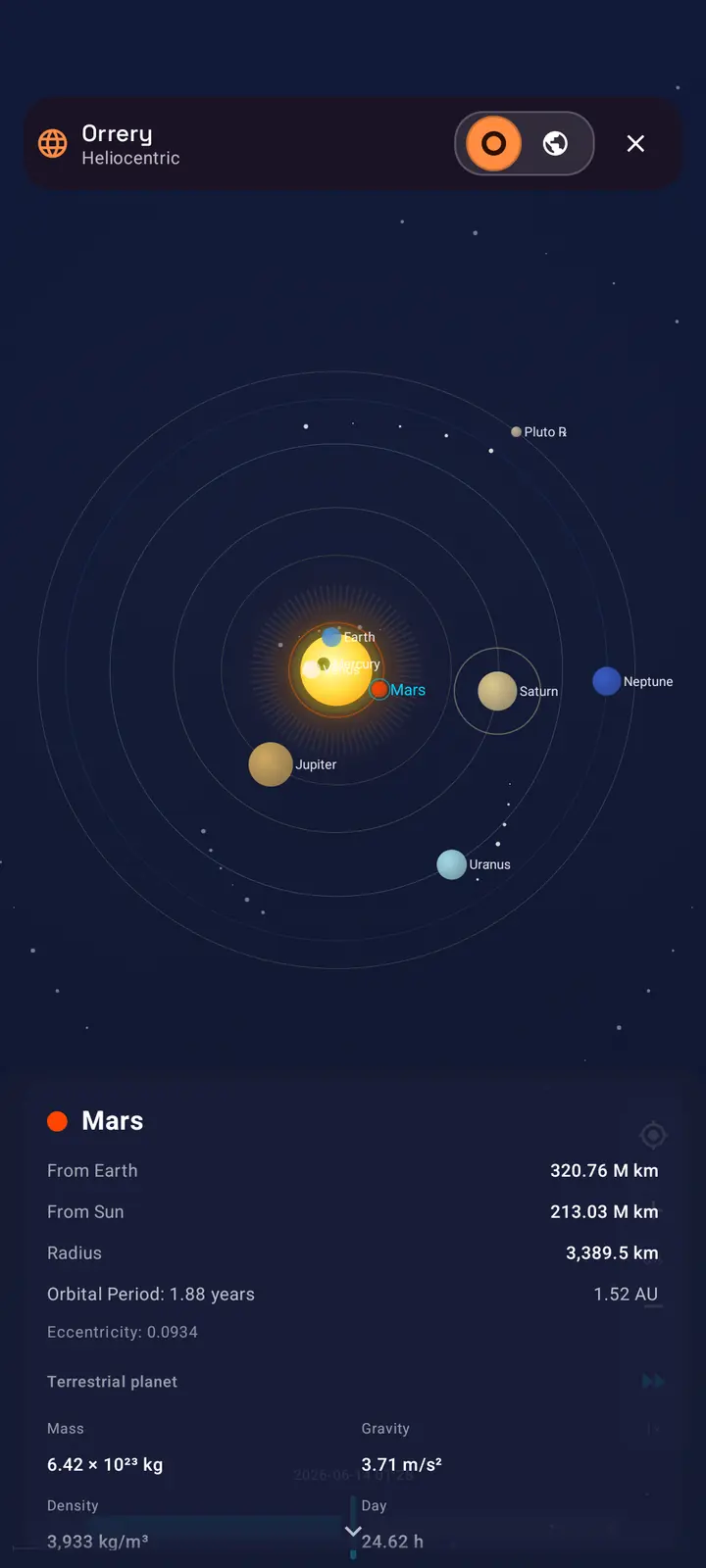
Switch to geocentric mode and the model re-centers on Earth, with a You Are Here marker and the Sun and Moon circling around you. It is the sky as it feels from the ground, and it is the view that finally makes eclipses click, because you can watch the Sun, Earth, and Moon slide into a single line. A second toggle tilts the camera between a flat, map-like top view, where every orbit reads as a clean ring, and an angled side view for a more three-dimensional feel.
- Heliocentric: Sun-centered, ideal for understanding orbits and why planets are visible when they are.
- Geocentric: Earth-centered with a You Are Here marker, the sky from your own point of view.
- Top view flattens every orbit into a ring; side view tilts into perspective.
- Switch views any time without losing your place in the simulation.
Never miss an eclipse again
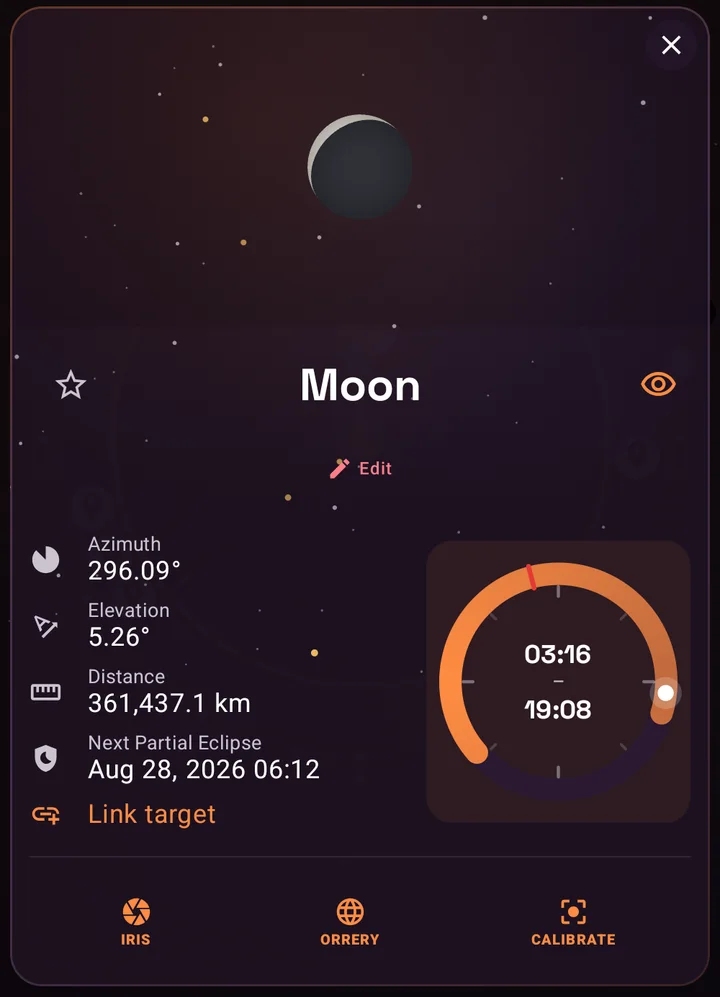
Eclipses are the headline event of the sky, and SIMT is built to help you catch them. Open the Sun or the Moon and the sky details show the next eclipse, its type, total, partial, annular, or penumbral, and the time it peaks, calculated entirely on your device.
Once you know when, the Orrery and the Moon Phases screen let you see it coming. Scrub the date to the eclipse and watch the geometry fall into place. In geocentric view the Sun, Earth, and Moon line up, and the Moon Phases screen actually renders the event, the dark umbra creeping across the Moon during a lunar eclipse, or the Sun's corona flaring at totality.
Keep reading There is a real one to plan for — the total solar eclipse of August 12, 2026. Here is where, when, and how to see it.The August 12, 2026 Total Solar Eclipse: Where, When, and How to See It (Offline) For a couple of minutes on August 12, 2026, the Moon slides dead-centre across the Sun and turns afternoon into an eerie dusk — the first total solar eclipse to reach mainland Europe since 1999. Here is where and when it happens, and how SIMT tells you the exact time and direction to look from your own backyard, with no internet at all.Watch the planets line up
Planets cluster together more often than most people notice, and a tight grouping makes for a spectacular photo or a memorable naked-eye sight. The Orrery watches for these. When two worlds crowd within a few degrees of each other, it draws a glowing golden line between them and pins a small sparkle badge, ✨ Mercury ↔ Venus, so an alignment never slips past you.
Combine that with time travel and you have an alignment hunter. Fast-forward and watch for the golden lines to appear, then dial back to the exact moment to plan around it. You will also catch planets in retrograde, the hypnotic stretch where a planet seems to pause and loop backward against the stars as Earth overtakes it on the inside track.
The Moon, up close and across time
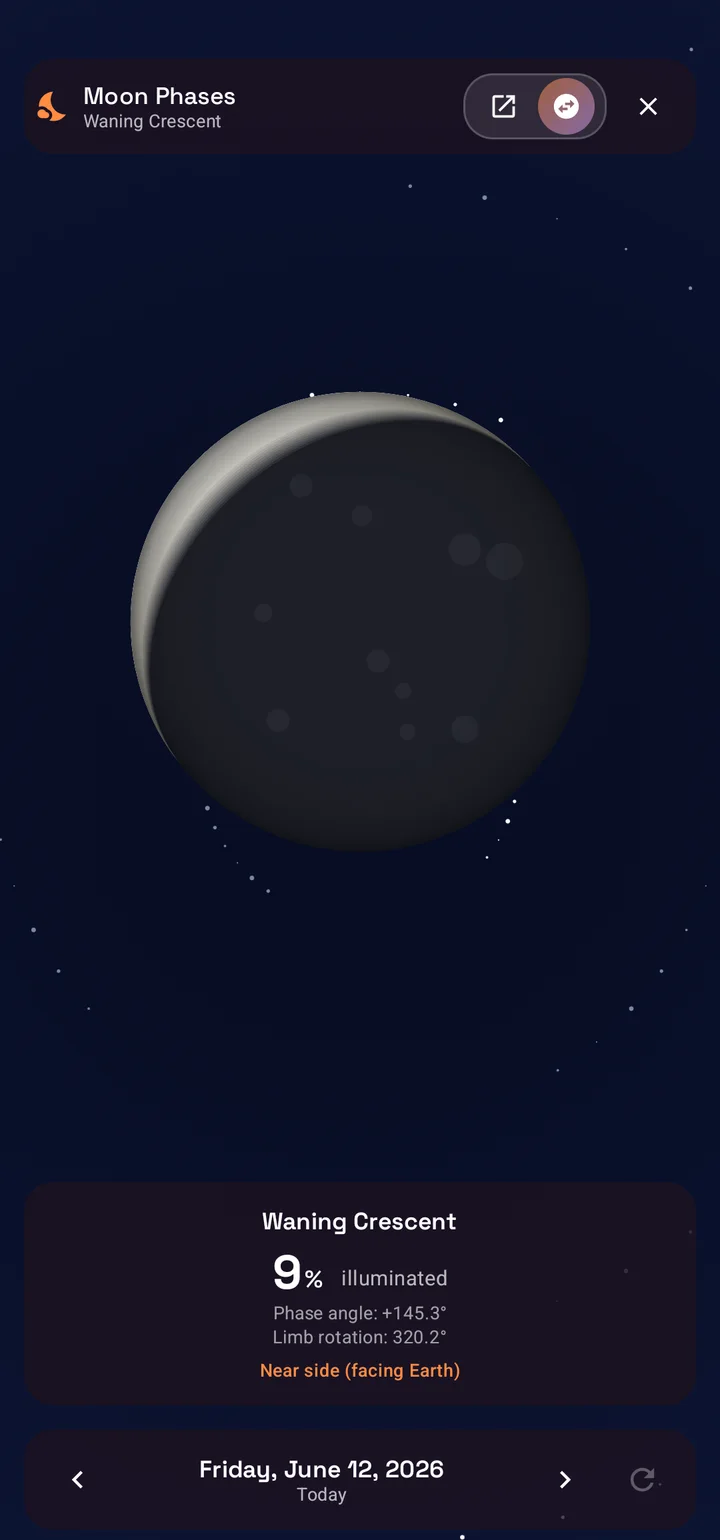
The Moon gets its own dedicated screen. Instead of a dot on an orbit, you get a large, realistic Moon, with maria, craters, and the correct tilt of the terminator, alongside its phase name, illumination percentage, phase angle, and even how the lit limb is rotated for your location.
A day scrubber walks the Moon forward and backward through its cycle, a day, a month, or years at a time, so you can find the next full Moon for a hike, the darkest night for faint deep-sky targets, or simply the slim crescent you remember from a particular evening. You can even flip between the near side we always see and the hidden far side.
- Realistic Moon rendering with phase name, illumination percentage, and phase angle.
- A day-by-day scrubber across weeks, months, or years of the lunar cycle.
- Near-side and far-side toggle.
- Eclipse appearance rendered when you land on one.
From the diagram to the real sky: point right at it
Everything in the Orrery is anchored to a real position. SIMT computes where each body actually sits for your exact location and time, so the diagram is never abstract for long. Open a body's target details and you get its live azimuth and elevation, the compass bearing to turn to and the angle to look up, plus its distance and its rise and set times.
From there, the rest of SIMT takes over. Follow the compass to the right patch of sky, or raise your phone and let Iris, the AR view, paint the planet straight onto your camera feed. The solar-system map becomes a direction you can physically point at, the same workflow SIMT uses for satellites and targets on the ground.
Keep reading That AR view is Iris — and remarkably, it locks a planet onto your camera with no ARCore, on almost any phone.Iris: AR on Any Phone, Powered by Math Instead of ARCore Most AR apps lean on ARCore and a certified device list. Iris takes a smarter route: it paints any target onto your live camera with pure mathematics, so augmented reality runs on almost any phone, works offline, and barely touches the battery.Who reaches for the Orrery
All of this adds up to a tool that is useful far beyond a single hobby.
- Eclipse chasers planning years ahead and confirming the geometry on the day.
- Astrophotographers timing conjunctions, the Moon, and planet visibility windows.
- Parents and partners curious about the exact sky on a birthday, anniversary, or milestone.
- Teachers and students who want to show orbits, retrograde motion, and visibility, not just describe them.
- Stargazers and campers checking Moon phase and planet positions before a dark-sky night.
- Travelers who want a portable planetarium that works without roaming or signal.
- The simply curious, who just want to know where everything is, right now, overhead.
Offline, private, and part of one toolkit
The Orrery is offline by design. Every position, distance, eclipse, and phase is a calculation your phone performs locally, so there is no server to call and nothing to wait for. It works the same on a mountaintop as it does on your sofa, and your location and saved targets stay on your device.
And because it lives inside SIMT, the solar system shares the same compass, AR, alerting, and Wear OS tools as everything else you track. Sky awareness and ground awareness are not separate apps here; they are the same spatial sense, extended all the way out to Neptune.
Keep reading The Orrery is one piece of a bigger sky toolkit — here is the full offline astronomy layer it lives in.Offline Astronomy App for Planets, Moon Phases, Satellites, and Sky Tracking Most astronomy apps depend on a constant internet connection. SIMT calculates planetary positions, Moon phases, satellite passes, and celestial targets entirely on device, so the sky tools keep working even when you are off the grid.Explore the solar system in SIMT, free on Google PlayTime-travel the planets, catch the next eclipse, and tap any world for its full story, all offline, with no account required.A planet is just a direction in space and a moment in time. The Orrery lets you choose the moment, then hands you the direction.
Questions answered in this guide
Can I see where the planets were on a past date, like my birthday?
Yes. The Orrery's time slider lets you scrub up to 100 years into the past or future, so you can set it to the night you were born, an anniversary, or any other date and see exactly where the planets, Moon, and Sun were. It works entirely offline.
Does SIMT predict solar and lunar eclipses?
Yes. Open the Sun or the Moon and SIMT shows the next eclipse, including its type (total, partial, annular, or penumbral) and the time it peaks, computed on your device. You can then scrub the Orrery or the Moon Phases screen to that moment to watch the alignment happen, and the Moon Phases screen renders the eclipse itself.
Can SIMT show planetary alignments and conjunctions?
Yes. When two planets crowd within a few degrees of each other, the Orrery draws a golden alignment line between them and shows a sparkle badge. Combined with time travel, you can fast-forward to hunt for upcoming alignments and conjunctions, and catch planets in retrograde motion too.
What information does the Orrery show about each planet?
Tap any body for its live distance from Earth and from the Sun, plus radius, mass, surface gravity, density, day length (with retrograde rotation noted), axial tilt, mean temperature, number of known moons, orbital period, semi-major axis, eccentricity, and a plain-language summary of its atmosphere.
What is the difference between the heliocentric and geocentric views?
Heliocentric centers the model on the Sun and shows the planets, including Earth, orbiting around it, which is ideal for understanding orbits and planet visibility. Geocentric centers on Earth with a You Are Here marker and the Sun and Moon circling you, which is the sky from your point of view and the easiest way to understand eclipses.
Does the Orrery work without internet?
Yes. SIMT computes every planetary position offline using the Astronomy Engine library on your device, so the Orrery, time travel, eclipses, alignments, and Moon phases all work with no connection at all.
Can I point my phone at a planet I see in the Orrery?
Yes. Open a body's target details for its live azimuth and elevation, then follow the compass to that bearing or raise your phone and use the Iris AR view to see the planet painted onto your camera feed.
More from SIMT Blog
Astronomy guide
Offline Astronomy App for Planets, Moon Phases, Satellites, and Sky Tracking
Most astronomy apps depend on a constant internet connection. SIMT calculates planetary positions, Moon phases, satellite passes, and celestial targets entirely on device, so the sky tools keep working even when you are off the grid.
Satellite guide
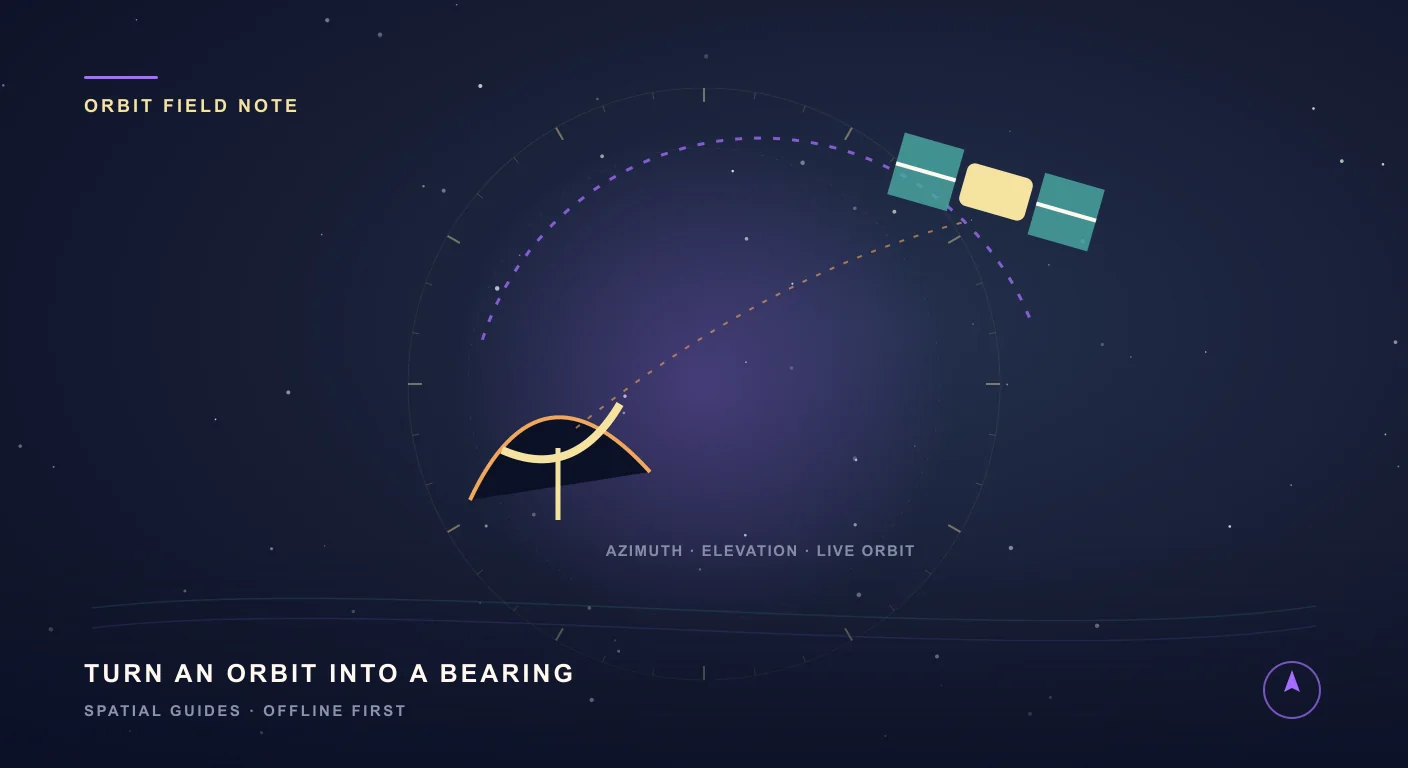
How to Track Satellites with SIMT: Aim a Dish, Spot the ISS, and More
From aiming a satellite dish to catching the ISS overhead, SIMT turns any satellite into a direction you can actually point at. Feed it a TLE and it computes the live azimuth, elevation, and range on your device, then guides you there with the compass and Iris AR, even with no signal.