
SIMT 2.2 at a glance
SIMT 2.2 is the largest update in the app's history. It closes out the 2.x release series that began with version 2.0, and it touches every layer of the product: a complete visual redesign, a new automation engine, new compass views, deeper target management, a dedicated moon phase experience, and a long list of stability and performance improvements.
This post walks through each feature in the 2.0 to 2.2 wave in detail, explains how the pieces fit together, and answers the most common questions about the update.
The Cosmos redesign: a window into warm deep space
You are the center of your universe. Turn your body, and the cosmos behind every screen turns with you.
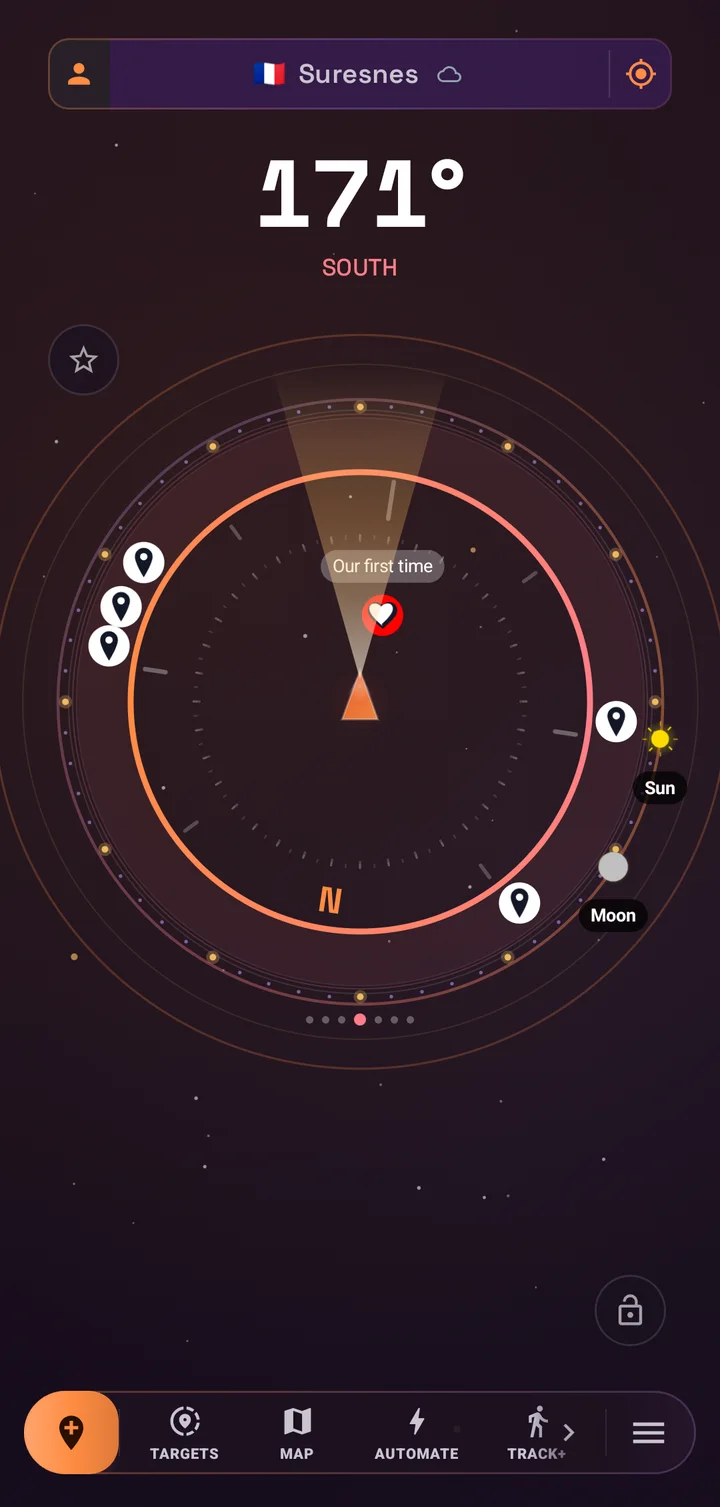
The old cold navy interface is gone. SIMT now lives in warm-tinted deep space: aubergine voids, solar-ember orange, nebula rose, cosmic violet, and starlight gold, inspired by Orion nebula photography rather than a blue sci-fi HUD. Every screen sits on a shared starfield background, and that starfield is not decoration. It counter-rotates with your compass azimuth, so physically turning your body visibly shifts the cosmos behind the UI. Targets read as celestial bodies orbiting you.
- New color system: a dark Deep Space theme by default, a warm Daylight Nebula light theme, and the astronomy red night mode preserved exactly for dark adaptation.
- New typography: Space Grotesk for display text and numeric readouts, with tabular numerals so heading and distance values never jitter while animating.
- Canopy glass surfaces: translucent warm panels with gradient borders, and elevation expressed by glow instead of shadow.
- Redesigned launcher icons to match the new Cosmos identity.
- Adaptive layouts: two-pane target browsing on tablets, a split compass layout in landscape, and tabletop support on flip devices.
The redesign was built with a hard rule: every device stays smooth. Motion is tiered by device performance. High-end phones get parallax, nebula drift, twinkling stars, and staggered entrances. Mid-range devices get parallax and entrances without infinite animations. Low-end devices get a static cached starfield with zero animation loops. The starfield itself is pre-rendered once and reused every frame, so there is no per-frame particle math anywhere in the app.
Automations: SIMT captures targets while you live
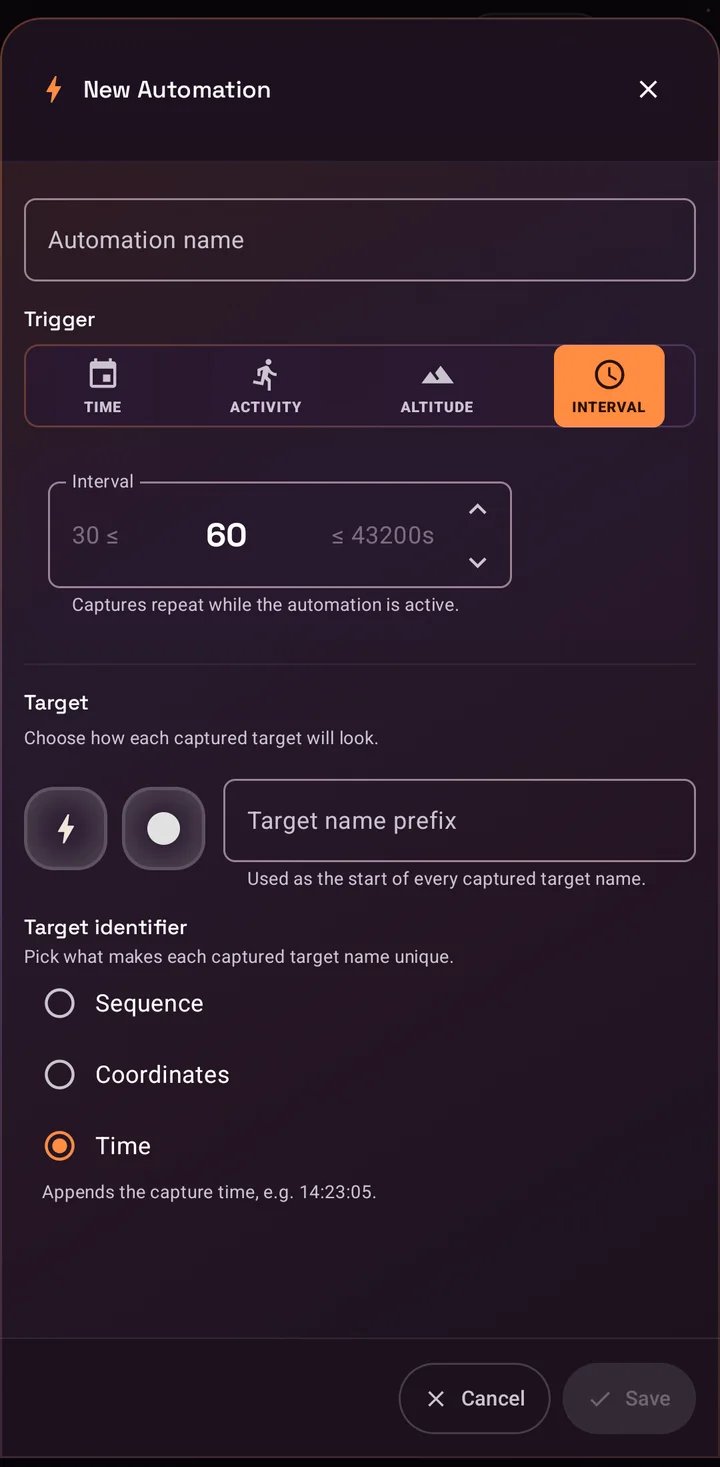
Automations are the biggest new capability in the 2.x series. Instead of opening the app to save a location, you define a rule once and SIMT captures GPS targets for you automatically when the rule fires. Each automation has a name, a trigger, and a target template with a name prefix, icon, and color, plus a unique suffix style based on time, sequence number, or coordinates so every captured target stays distinguishable.
- Interval trigger: capture a target every N seconds to hours, useful for breadcrumb trails on long trips.
- Altitude trigger: capture a target every N meters climbed or descended, powered by the barometer, ideal for hikes and ascents.
- Time trigger: capture once per day at a chosen time on the weekdays you select.
- Activity trigger: capture when your movement changes, for example from driving to still, with selectable from and to states across still, walking, running, driving, and cycling.
Activity automations can also auto-enable themselves while a chosen activity is in progress, so a rule can wake up when you start driving even if you left it switched off. A ready-made Parking automation ships with the app: it captures a target the moment you stop driving, so finding your car later becomes a one-tap job on the compass or the map.
Every captured target is labeled with the automation that created it and the trigger that fired, and you can give all automation captures a dedicated tag. From the Automate screen you can review captured targets per rule, delete them in one action, or clear everything. Automations run on-device, work offline, and are free for everyone.
Gift views: Lumina and Minimap
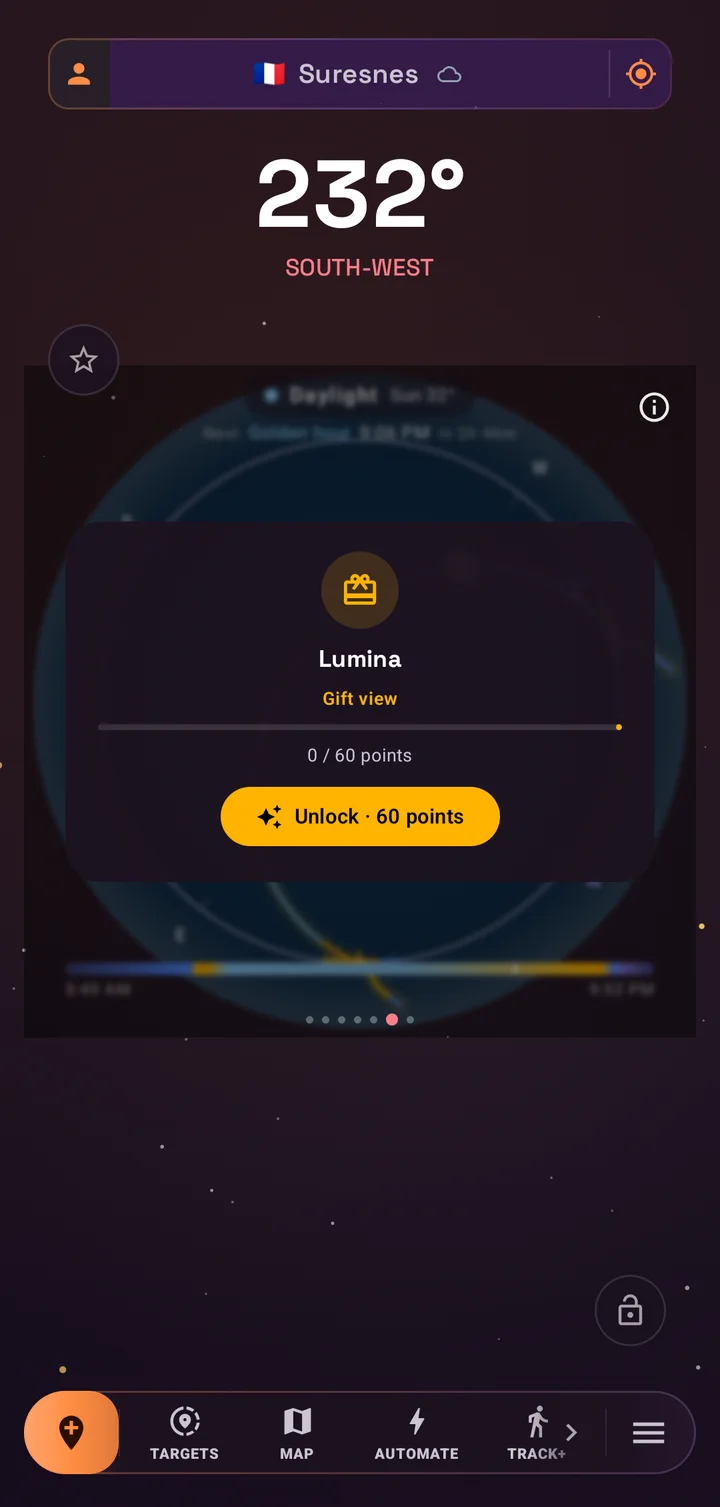
The compass gains two new premium views, and they are not sold for money. They are gifts, unlocked with Support Points that recognize your contributions to the project. You earn points by rating the app, signing in, following SIMT on Instagram, watching an occasional ad, or sending a donation, then redeem them in the Gifts dialog on the Support SIMT screen.
- Lumina view: the photographer's light compass. It draws the sun path across the dial with golden hour and blue hour windows and a live cast-shadow indicator, so you can plan shots and read the light at a glance. It also puts the current moon at your fingertips.
- Minimap view: a heading-up radar map that rotates around you, with cardinal hints and nearby targets rendered as blips, made for quick situational awareness and location games.
Locked views appear in the compass view pager with a Gift view label, a preview behind a soft blur, and a live progress readout showing how many points you have versus how many you need, so the path to unlocking them is always visible.
Bulk actions: manage whole groups of targets at once
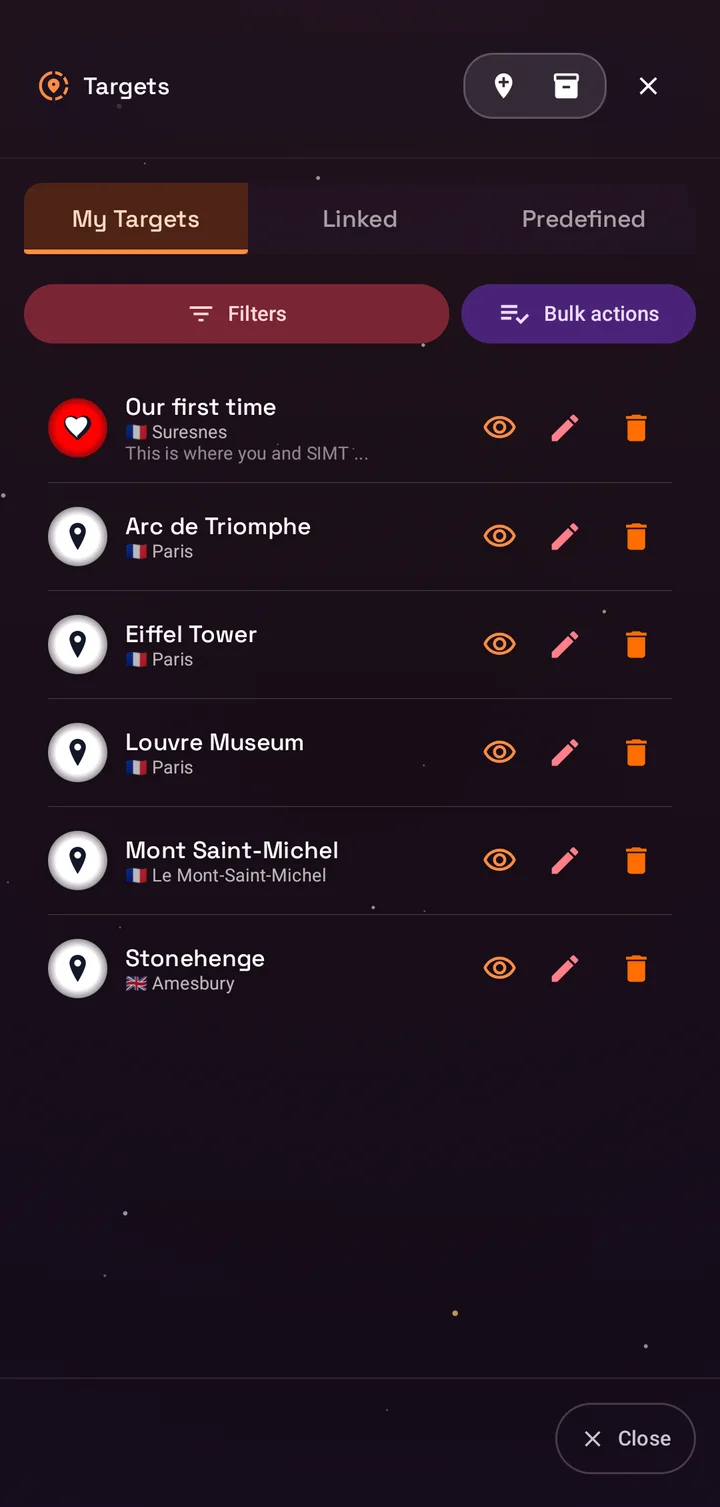
Target lists grow fast, especially once Automations start capturing for you. SIMT now lets you act on entire groups in one move. Long-press any group header in the Targets list, or use the bulk actions button on your targets tab, to select targets and apply an action to all of them at once.
- Show or hide every target in a group on the compass.
- Add or remove favorites in bulk.
- Disable alerts for a whole group.
- Remove a tag from every selected target.
- Archive the whole group out of your active list.
- Delete everything in the group, with a clear destructive confirmation.
Actions that would do nothing are disabled automatically, so if every target in a group is already a favorite, the favorite action steps aside. It is a small touch that keeps bulk management predictable.
Target archiving: declutter without deleting
Archiving fills the gap between hiding a target and deleting it forever. When you archive targets, SIMT moves them out of your active list and stores a compressed, lossless snapshot of every detail, including images. Archived targets disappear from the compass and from your day-to-day lists, but nothing is lost.
- Archives are grouped into batches by date, so a season of trip targets or a month of automation captures stays together.
- Any batch can be restored with one action, and restored targets come back exactly as they were, keeping their identity so links and automations stay coherent.
- Batches you truly no longer need can be deleted permanently from the archive dialog.
- Cleanup tools can include archived targets when you want a full reset.
Moon phases, day by day
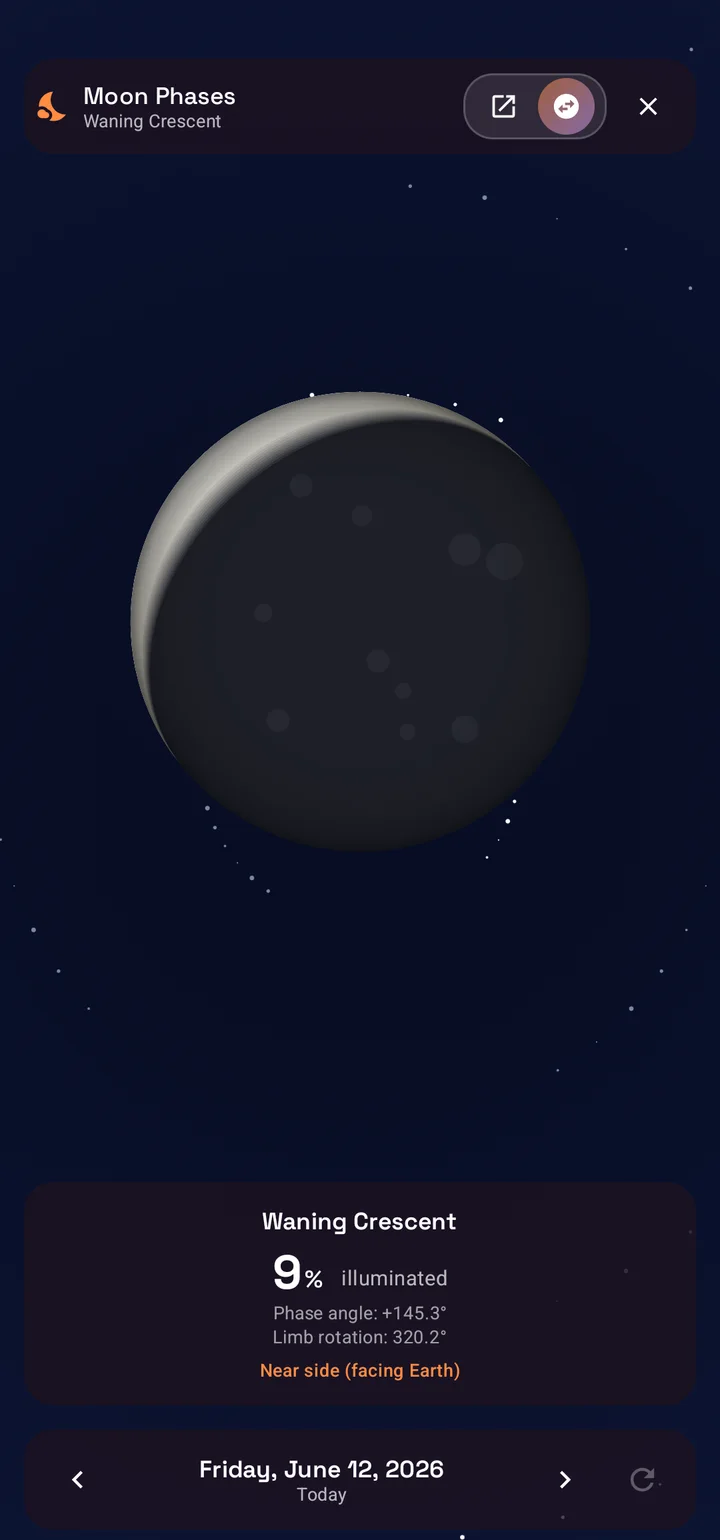
The sky tools gain a dedicated Moon Phases screen: a large, realistically rendered moon with the current phase name, illumination percentage, and phase angle, oriented the way the moon actually appears from your location. A day scrubber lets you step to the previous or next day, jump back to today, or swipe through the lunar cycle to plan around full moons and new moons.
- All phases are covered, from waxing crescent through full moon to waning crescent.
- A near side and far side toggle flips the view to the hidden face of the moon.
- Everything is computed on-device, so the screen works fully offline.
- You can reach it from the toolbar, from the moon in the Lumina view, from the Orrery, or from any Moon target's sky details.
Photographers can pair the Moon Phases screen with Lumina to plan moonlit shoots, and astronomers get a quick phase calendar without leaving the app they already navigate with.
Seven UI roles: the app arranges itself around you
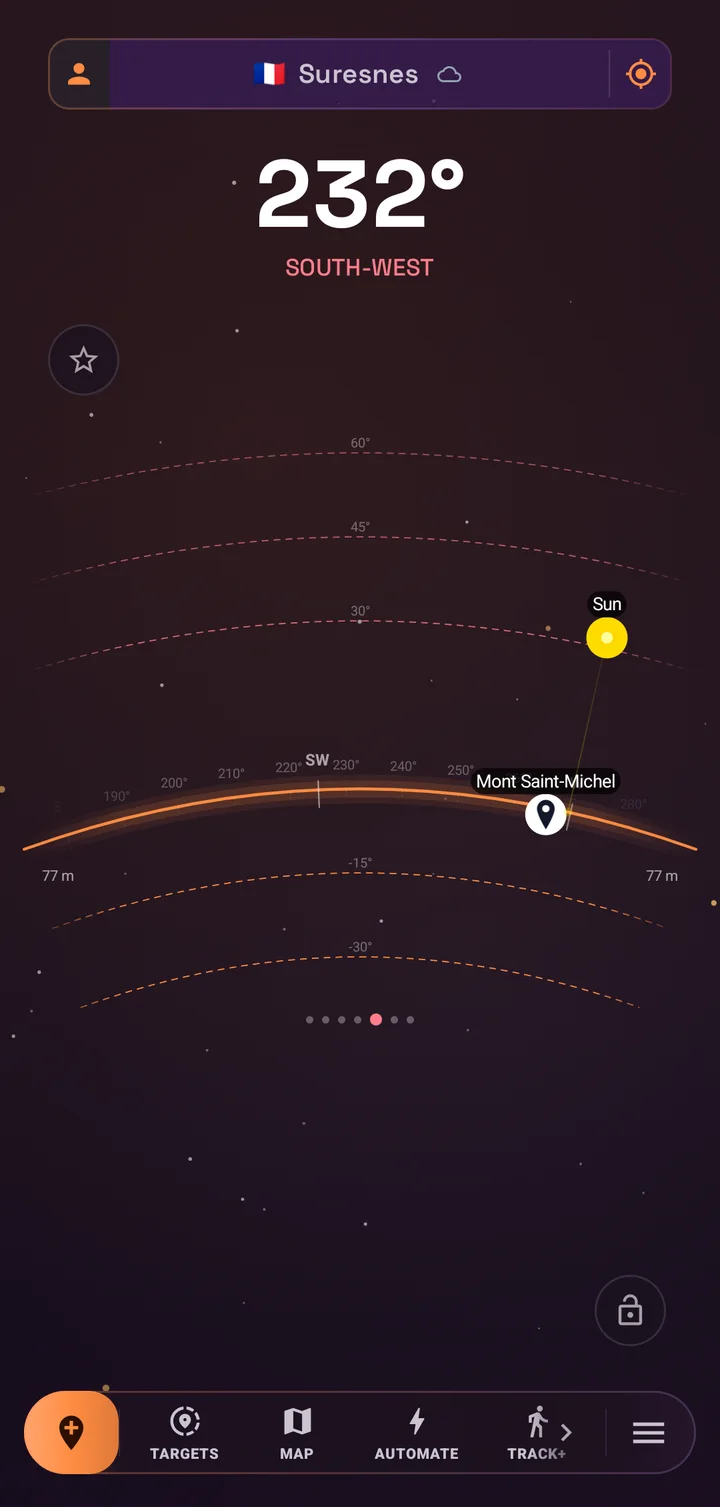
SIMT packs a lot of tools, and not everyone needs the same ones up front. UI roles solve this. During onboarding, and at any time from your profile on the compass, you choose the role that matches how you use SIMT. Each role rearranges the toolbar, promotes different tools, and selects the compass views that fit your work.
- Explorer: discovery and target management first, with the layered dial as the home view.
- Hiker: trail navigation and live tracking, leading with the proximity star view and quick access to tracking and GNSS tools.
- Traveler: planning and multi-device workflows, with maps, images, and games close at hand.
- Photographer: sun, moon, and horizon tools, pairing the layered dial with the Lumina light compass.
- Astronomer: celestial and orbital work, leading with the horizon string view, the Orrery, and Moon Phases.
- Builder: advanced tools and measurement, with the digital plumb bob front and center.
- Gamer: the Minimap radar and location games take the spotlight.
Hiker, Photographer, and Gamer are new in this release wave, joining the original four. Roles never lock anything away: every tool stays reachable, and you can switch roles or fine-tune your enabled compass views whenever you like.
A more stable GNSS engine
SIMT's raw GNSS engine processes measurements from GPS, GLONASS, Galileo, BeiDou, QZSS, and NavIC directly on your phone, and can reach sub-meter accuracy once converged, with optional PPP corrections over SSR streams and RTK corrections from NTRIP base stations. In this release wave the engine received its deepest stability pass yet, with dozens of correctness fixes landed after a full engine review.
- Navigation message parsing was hardened for every constellation, including GPS and QZSS bit-field handling, GLONASS timescale and string handling, Galileo page assembly, and a rewritten BeiDou decoder.
- GLONASS measurements are now formed in their own native timescale, eliminating a class of subtle ranging errors.
- Carrier smoothing and the inter-epoch Kalman filter gained per-signal tracking, proper reset handling, and a stricter gate that rejects bad fixes instead of adopting them.
- SSR correction handling is now gated on ephemeris consistency and uses the correct orbital frame, making PPP behavior more trustworthy.
- NTRIP streaming was fixed end to end, including chunked transfer handling, and the capture pipeline is now lifecycle-bound and cancellation-safe, so long background sessions no longer leak or stall.
The result is an engine that converges more reliably, holds its solution longer, and behaves predictably across constellations and correction modes. The Study screen continues to expose live diagnostics and a map view for anyone who wants to watch the solver work.
Better performance on every device
Performance work in the 2.x series targeted the two places you feel speed most: app startup and everyday scrolling. Cold start was rebuilt around Baseline Profiles and a leaner launch path, with blocking reads removed from the critical path, services initialized lazily, and heavyweight work deferred until after the first frame.
- Baseline Profiles ship with the app, so critical startup code is pre-compiled on install.
- Six legacy animated backgrounds were replaced by the single tiered Cosmos background, which reduces overdraw across the whole app.
- Starfields are rendered once and reused, never recomputed per frame, and all infinite animations pause when a screen is not visible.
- On low-end devices, expensive layers simply do not exist: static backgrounds, instant navigation transitions, and zero animation loops.
- Target lists got snappier through smaller page sizes and a new database index on target names.
Bug fixes and more across the toolkit
Beyond the headline features, the 2.x wave carried a long tail of fixes and smaller improvements across the toolkit.
- Link+ local sharing is more dependable: service lifecycle and socket management were reworked, peer handling was centralized, and pulse and disconnect events now raise clear alert notifications.
- The map location picker no longer fights you while dragging, and target markers render more accurately on the map.
- Track+ now records altitude along your path, adding a vertical dimension to recovery and review.
- Shared target links can now carry opening and closing hours, so time-bound places survive the trip between devices.
- Billing moved to the latest Play Billing library with cleaner error handling, and a new Instagram follow reward joined the Support Points options.
- Database migrations gained extra validation, and target visibility toggles were fixed for anonymous targets.
Get SIMT 2.2
SIMT 2.2 is a free update, rolling out now on Google Play for Android phones and Wear OS. Everything described here ships in the standard app: no subscription, no account requirement, and your targets, images, and settings stay on your device by default.
Download SIMTGet SIMT 2.2 on Google Play and explore the Cosmos redesign, Automations, gift views, moon phases, and the rest of the 2.x feature wave.If you are new to SIMT, start with the role picker: choose how you explore, and the app will arrange its tools around you. And if SIMT earns a place on your home screen, rating the app or following along on Instagram both feed Support Points straight back into your gift views.
Questions answered in this guide
Is SIMT 2.2 a free update?
Yes. SIMT 2.2 is free on Google Play. The Lumina and Minimap gift views are unlocked with Support Points earned by rating the app, signing in, following on Instagram, watching ads, or donating, never by a mandatory payment.
Do Automations need an internet connection?
No. Automations run entirely on-device using GPS, the barometer, the clock, and activity recognition. Triggers fire and targets are captured even when you are offline.
What happens to images when I archive targets?
Archiving stores a compressed, lossless snapshot of every target detail, including images. Restoring a batch brings targets back exactly as they were, with their identity preserved.
How is archiving different from hiding a target?
Hiding keeps a target in your active list but removes it from the compass. Archiving moves it out of the active list entirely into a restorable snapshot, which keeps long-lived target collections fast and tidy.
Will the Cosmos redesign slow down my older phone?
No. All Cosmos motion is tiered by device performance. Low-end devices get a static, cached starfield with no animation loops at all, and the redesign actually reduced total background rendering cost across the app.
Do UI roles lock me out of features?
No. A role only rearranges the toolbar and selects default compass views for your workflow. Every tool remains accessible from any role, and you can switch roles or customize views at any time.
What changed in the GNSS engine in 2.2?
A deep stability pass fixed dozens of issues across navigation message parsing for all six constellations, carrier smoothing, Kalman filter gating, SSR correction handling, and NTRIP streaming, making convergence more reliable in PPP and RTK modes.
More from SIMT Blog
Release update
What's New in SIMT 1.8: The Constellation Update
The Constellation Update is SIMT's biggest release wave to date: write on your own maps, command positioning satellites, fly through a living solar system, play GeoQuest, link multiple devices, and back everything up to Google Drive — all from one compass app.
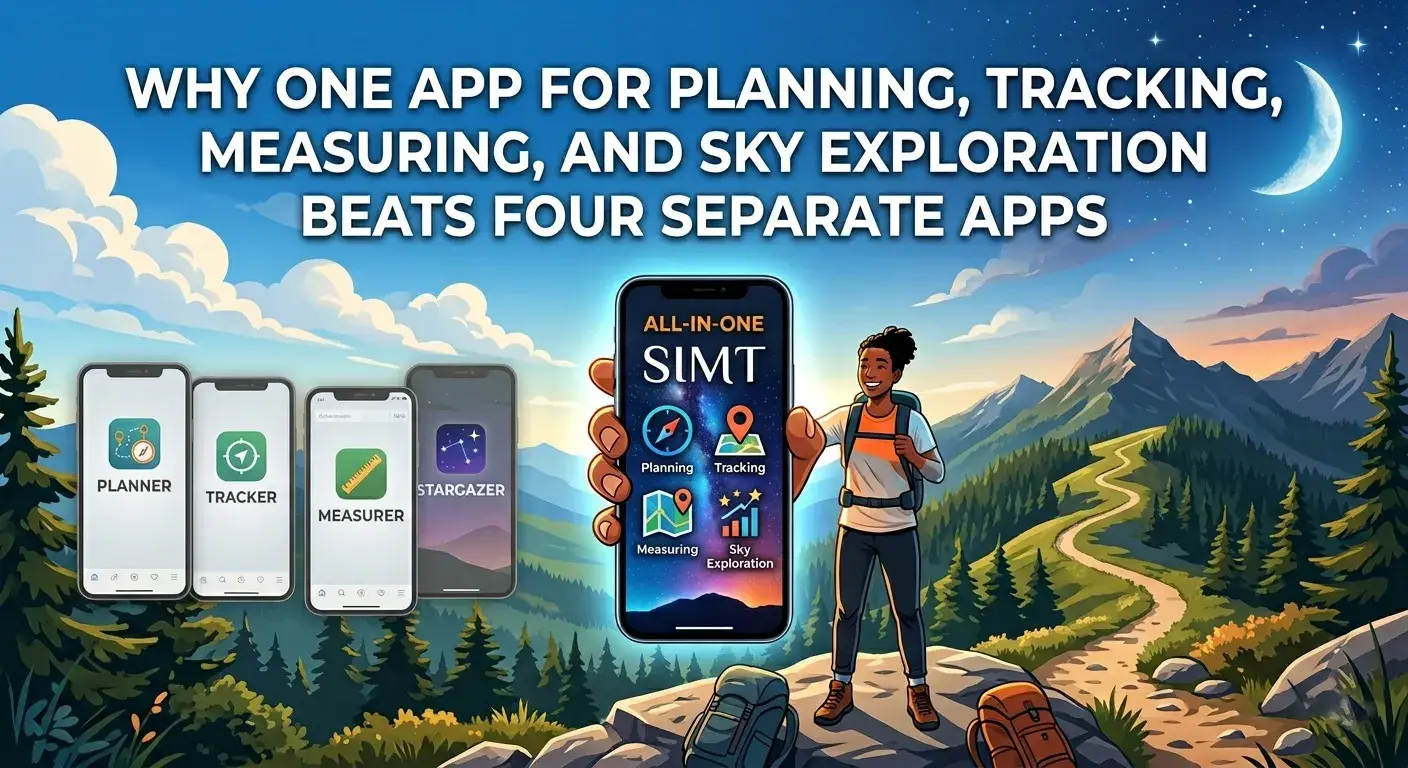
Why one app beats four
Why One App for Planning, Tracking, Measuring, and Sky Exploration Beats Four Separate Apps
Most people carry four or five separate apps for navigation, measurement, local sharing, and sky tracking. SIMT combines all of those into one offline-first toolkit, and the integrated experience is better than the sum of the parts.